Notifications
A notification is a message or alert that informs you about important updates or events on the platform. The notification button is located at the top right corner of the platform, just below the profile picture icon. Clicking this button opens the notification bar, where you can view alerts related to your activities.
Note
- As an Admin user, you can configure and manage email notifications for key events across projects and accounts. This ensures that you stay informed about important updates without having to constantly check the platform manually.
You have full control over how you receive notifications on the platform, ensuring you stay informed about important updates without unnecessary alerts. You can configure and manage different types of notifications based on key events across projects and accounts.
New Report Created Notification
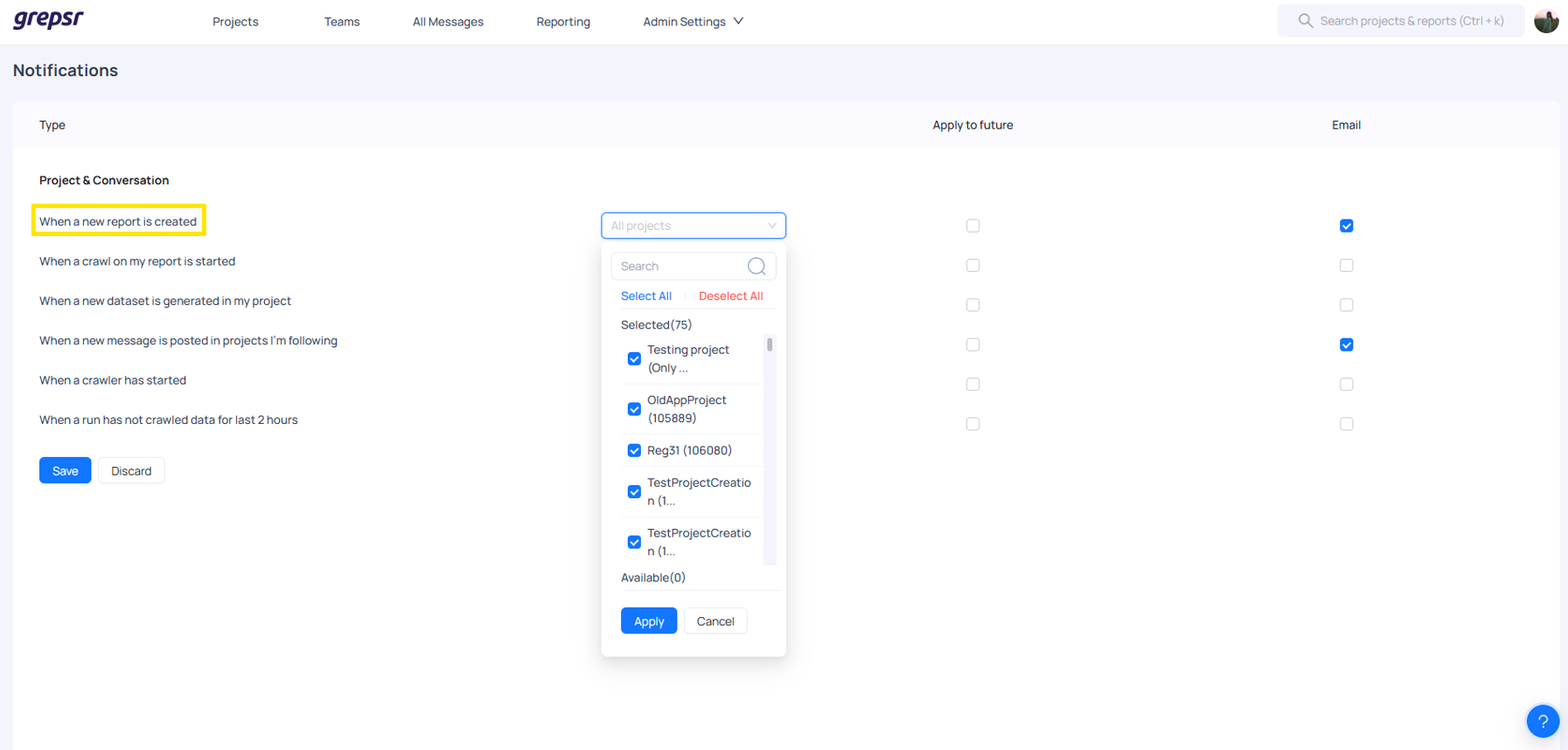
You can enable notifications for When a new report is created. This means that whenever a report is generated in a project, you will receive an email alert. You have the flexibility to:
-
Select all projects across all accounts to receive notifications for every new report created.
-
Choose specific projects to receive alerts only for reports generated within those projects.
If you enable this notification, you will receive an email whenever a report is created in the selected projects. However, you will not receive notifications for projects you have not chosen. You also have the option to disable this notification at any time.
Run Not Crawling Data for two hours Notification
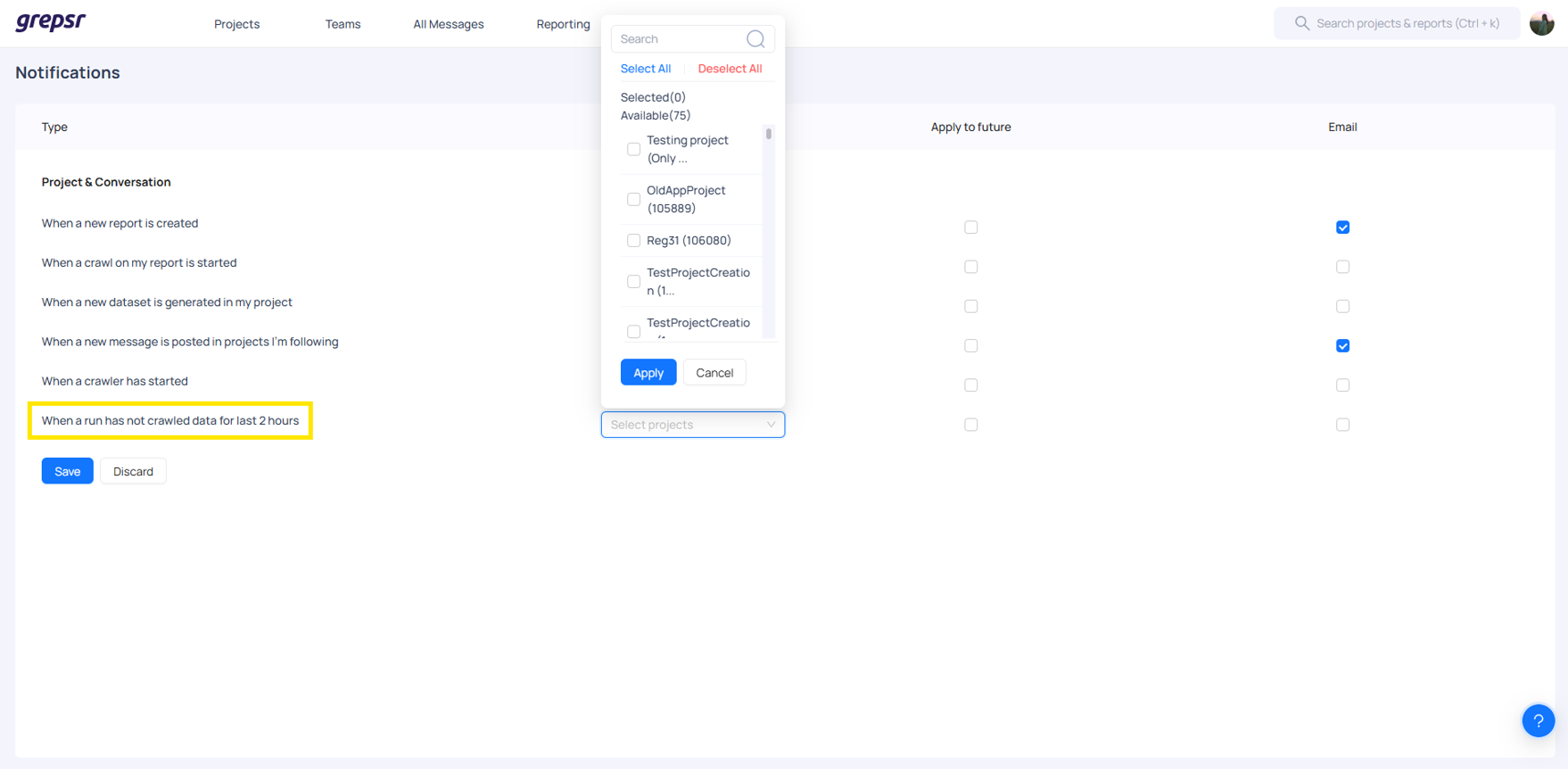
Another key notification available to you is When a run has not crawled data for the last two hours. This ensures you are alerted when a data crawl has not occurred within the expected time frame. Similar to the report notifications, you can:
-
Choose all projects to monitor data crawl activity across the entire platform.
-
Select specific projects to receive alerts only for those that are relevant to you.
If this notification is enabled, you will receive an email when a run has failed to crawl data within the last two hours for the selected projects. No notifications will be sent for unselected projects. You can turn this notification off whenever needed.
New Message in Followed Projects Notification
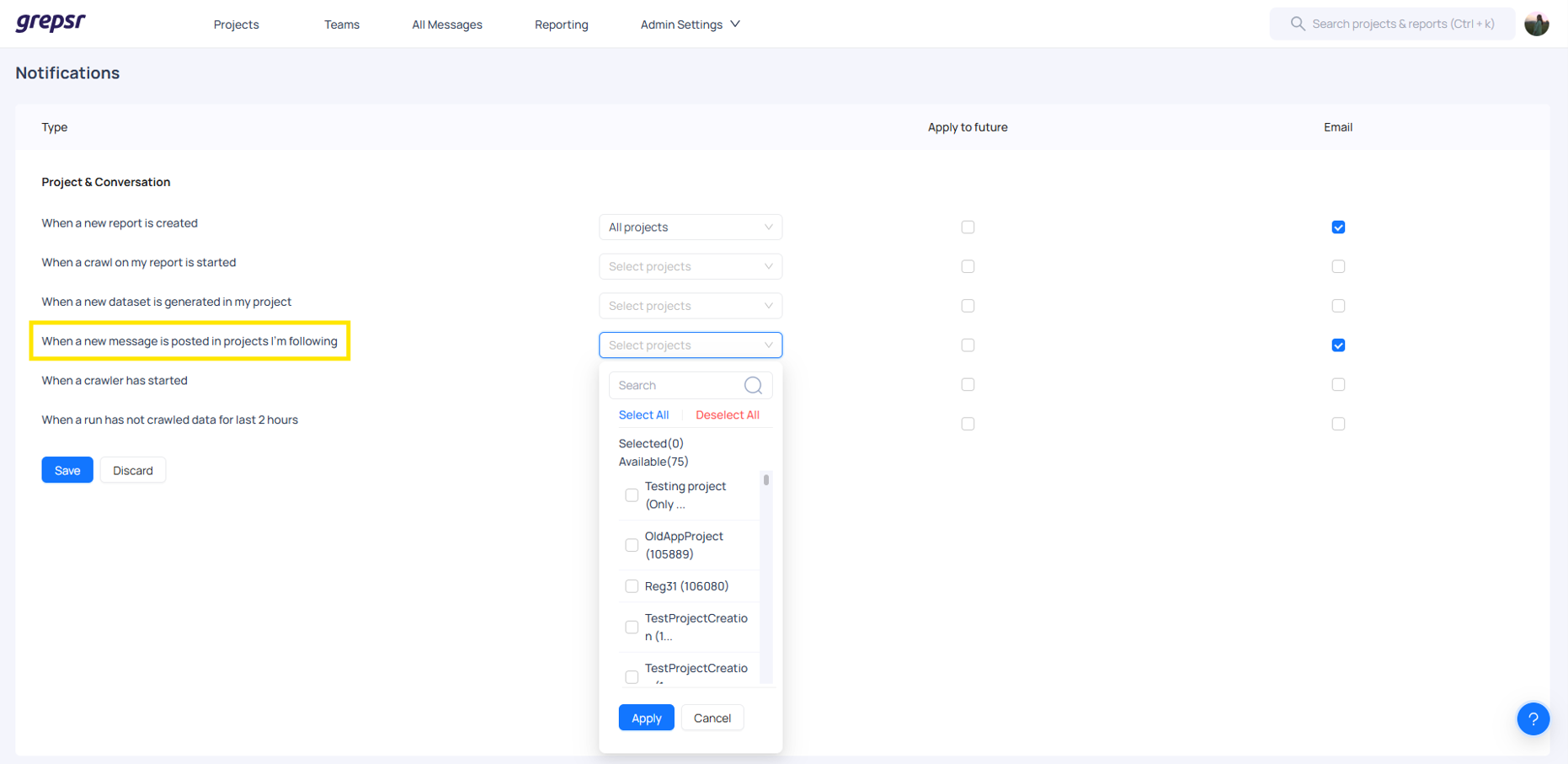
Additionally, you can set up notifications for When a new message is posted in projects I'm following. This notification lets you stay updated on project discussions and communications. As an Admin user, you can:
- Follow any project from any account, regardless of your direct assignment.
- Choose to receive notifications only for specific projects that matter to you.
If enabled, you will receive an email notification whenever a new message is posted in your selected projects. You will not receive notifications for projects you have not chosen.
Apply to Future Projects Setting
To make notification management more efficient, the platform offers an Apply to Future setting. This feature automates the inclusion of newly created projects in your selected notification list:
-
If enabled, any new project added to the system will automatically be included in the notification settings for the selected event type.
-
If disabled, new projects will not be included in notifications unless you manually add them.
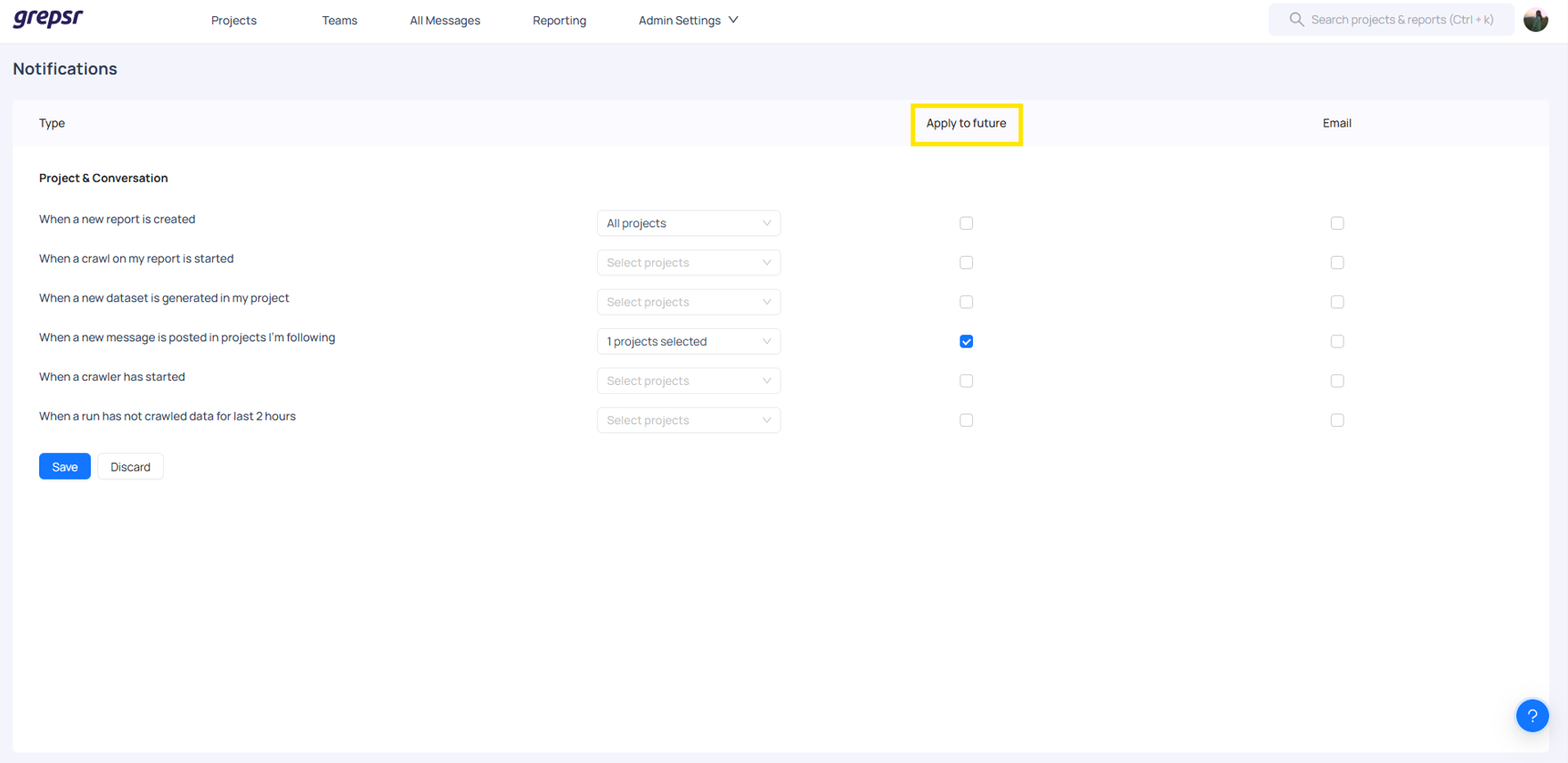
After selecting the project and recipient, you can choose to save the notification for later or discard it if it's no longer needed. This flexibility allows you to manage your notifications efficiently, ensuring you only send and receive relevant updates. This setting also ensures that you don’t have to constantly update your notification preferences when new projects are created, making it easier to stay informed while maintaining control over which notifications you receive.