Billing
In this section of the platform, Admin users can access detailed invoice information for various accounts. Once you open the billing page, a list of account names will be displayed. By selecting any account from the list, you'll be able to generate its corresponding invoice details directly below the account name. The billing menu, which provides access to this section, is located under the "Admin Settings" section in the platform.
Primary sections under Billing
| Section | Description |
|---|---|
| Invoice Generation | It is the process of creating and downloading a detailed bill to the customer, which outlines the services provided, the associated costs, any applicable taxes or discounts and the total amount due. |
| Rule Configuration | It refers to the setup of rules or conditions that govern how billing processes are handled within a system. These rules dictate how charges are calculated, applied and adjusted. |
Initially, both the Invoice Generation and Rule Configuration sections are hidden. To view or generate an invoice, you must first select an account and for that you can search for a specific account name or ID. Once you've located the account, the respective invoice details and rule configurations will become available.
When configuring billing rules, you have four types of rules to choose from: Record, Record Cap, Request, and Run. The Record and Record Cap rules can be configured together within a single configuration, as they share similar set cases. However, Request and Run rules need to be configured separately, as they have distinct settings and use cases.
Additional details
- You can apply a single rule configuration to a single report only. This allows for more granular control over the billing process.
Generate the invoice
 - Step 1: Select the account for which you wish to view the invoice from the "Account Name" dropdown list.

 - Step 2: Click on "Select Project" to view the invoice. You can either choose individual projects or select all projects by clicking the "Select All" button.

 - Step 3: Choose the billing period for the selected account by clicking on "Select Billing Period." You can choose from options like Previous month, Current month and Custom.

 - Step 4: Click the "Add Project" button to finalize your selection.
Configure rules for a report
-
Step1: Navigate to the Rule Configuration Section:
- Access the section where you can configure the rules for reports.
-
Step 2: Click on Add New Configuration:
- This button is located within the "Rule Configuration" section. Click it to begin creating a new configuration.
-
Step 3: Enter Configuration name:
- Provide a clear and descriptive name for the configuration you are creating.
-
Step 4: Set Up the Required Rules: If applicable
- Monthly Minimum - Set the minimum price to be applied for the report, regardless of whether the report is run. If the accrued fees are below this minimum, the report will be billed at the monthly minimum rate.
- Setup Fee - Specify any initial setup fees that will apply when configuring the report.
-
Step 5: Click on Add a New Rule+:
- Here, select the effective date and choose the rule type from Report, Record, Record Cap, Request or Run.
-
Step 6: Click on Save or Discard:
- To save your changes, click on "Submit.
- To cancel the configuration, click on "Discard."
-
Step 7: Click on Set this Configuration:
- Finally, select the report you want to configure by clicking on "Set this Configuration," which can be found on the billing page on the right side.
Key Parameters
| Parameter | Description |
|---|---|
| Date | Set specific date ranges for the billing cycle. |
| Price per Request | It is a request sent by a crawler while collecting data. Billing can also be done as per request. |
| Price per Run | Adjust the cost per individual run. |
| Records | Define how many records are covered under a specific rule or pricing structure. |
| Price per Record | Adjust the cost per individual record. |
| Price per Record After | Set a different price for records once a certain number of records have been reached. |
Monthly Minimum
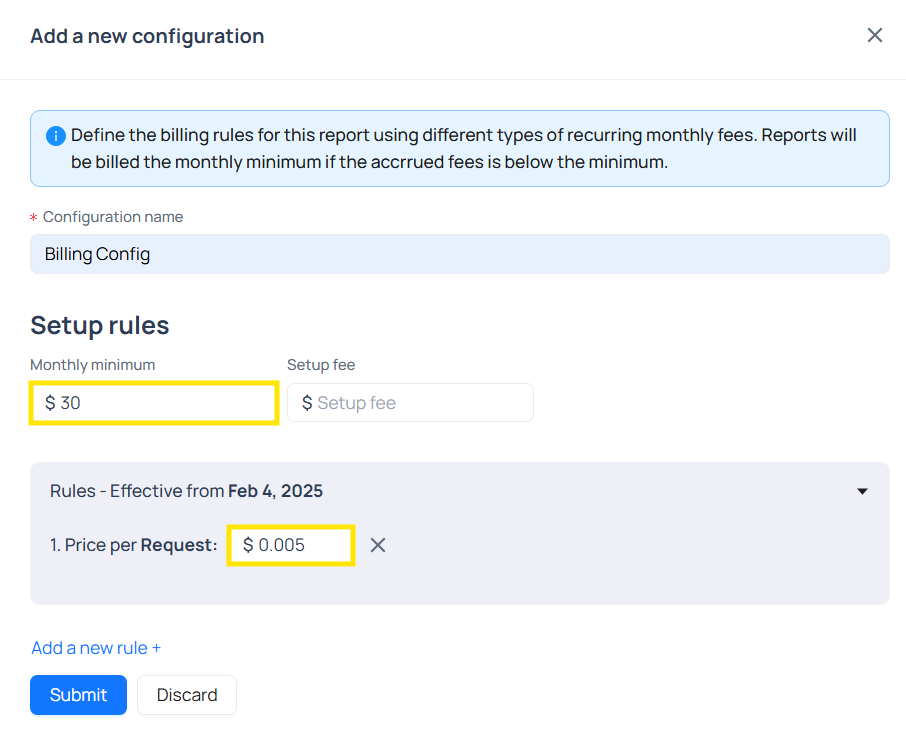
When Monthly Minimum is greater or less than Price per Request
| Scenario | Monthly Minimum | Price per Request | Total Requests | Total Calculated Price | Billing Price Used |
|---|---|---|---|---|---|
| Scenario 1 (Monthly Minimum > Price per Request) | 90 | 0.005 | 8241 | 8241 × 0.005 = 41.21 | 90 (Monthly Minimum used) |
| Scenario 2 (Monthly Minimum < Price per Request) | 30 | 0.005 | 7333 | 7333 × 0.005 = 36.66 | 36.66 (Calculated price used) |
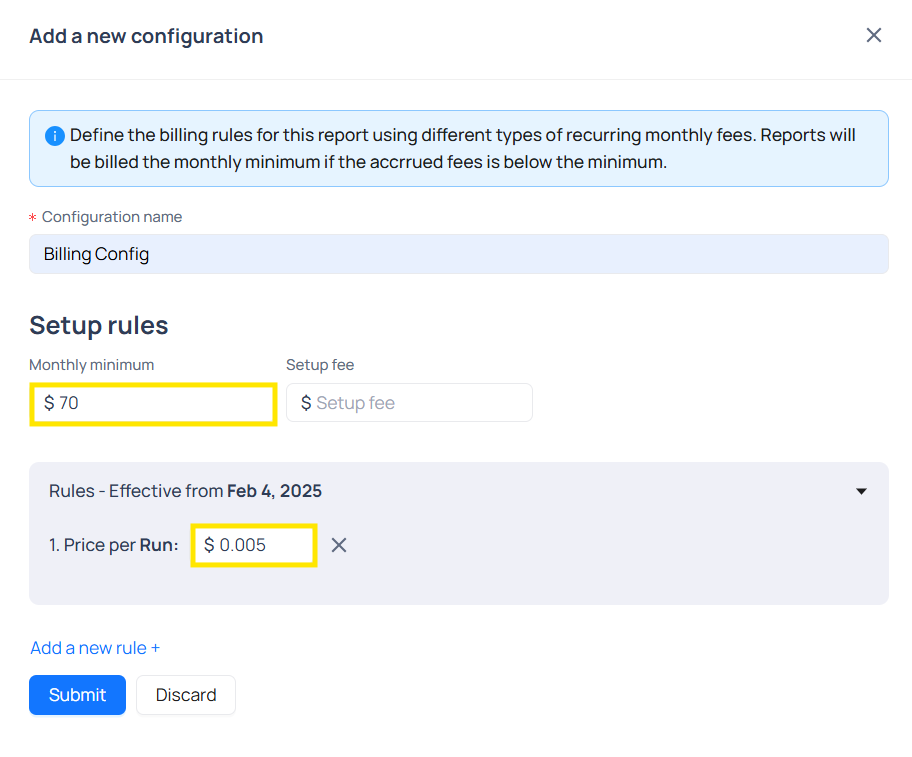
When Monthly Minimum is greater or less than Price per Run
| Scenario | Monthly Minimum | Price per run | Total Runs | Total Calculated Price | Billing Price Used |
|---|---|---|---|---|---|
| Scenario 1 (Monthly Minimum > Price per Run) | 70 | 0.005 | 8241 | 8241 × 0.005 = 41.21 | 70 (Monthly Minimum used) |
| Scenario 2 (Monthly Minimum < Price per Run) | 20 | 0.005 | 5252 | 5252 × 0.005 = 26.26 | 26.26 (Calculated price used) |
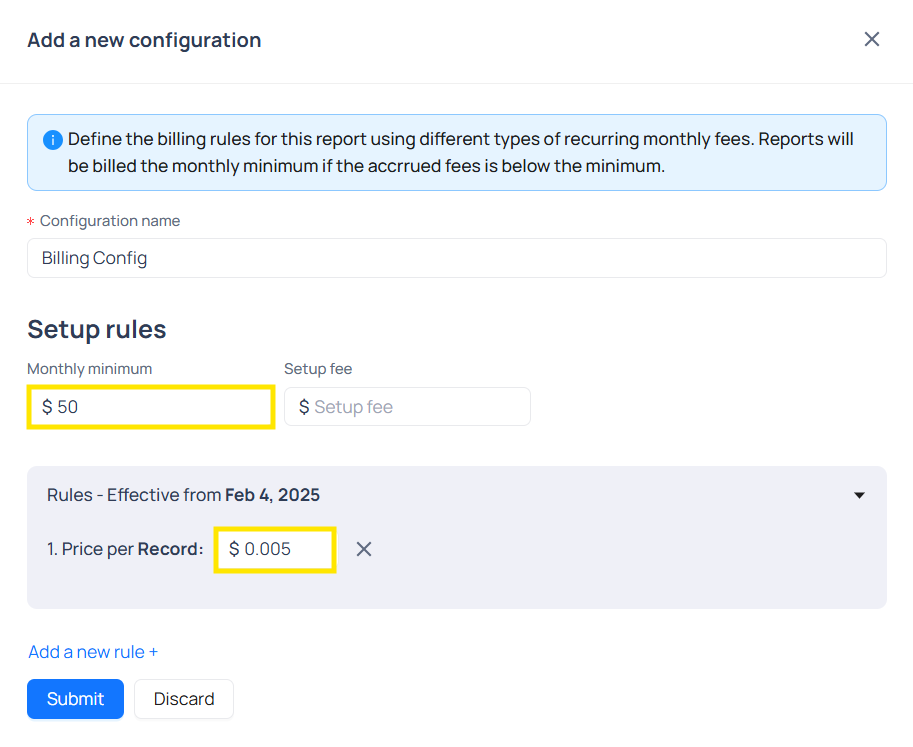
When Monthly Minimum is greater or less than Price per Record
| Scenario | Monthly Minimum | Price per Record | Total Records | Total Calculated Price | Billing Price Used |
|---|---|---|---|---|---|
| Scenario 1 (Monthly Minimum > Price per Record) | 50 | 0.005 | 8241 | 8241 × 0.005 = 41.21 | 50 (Monthly Minimum used) |
| Scenario 2 (Monthly Minimum < Price per Record) | 40 | 0.005 | 8241 | 8241 × 0.005 = 41.21 | 41.21 (Calculated price used) |
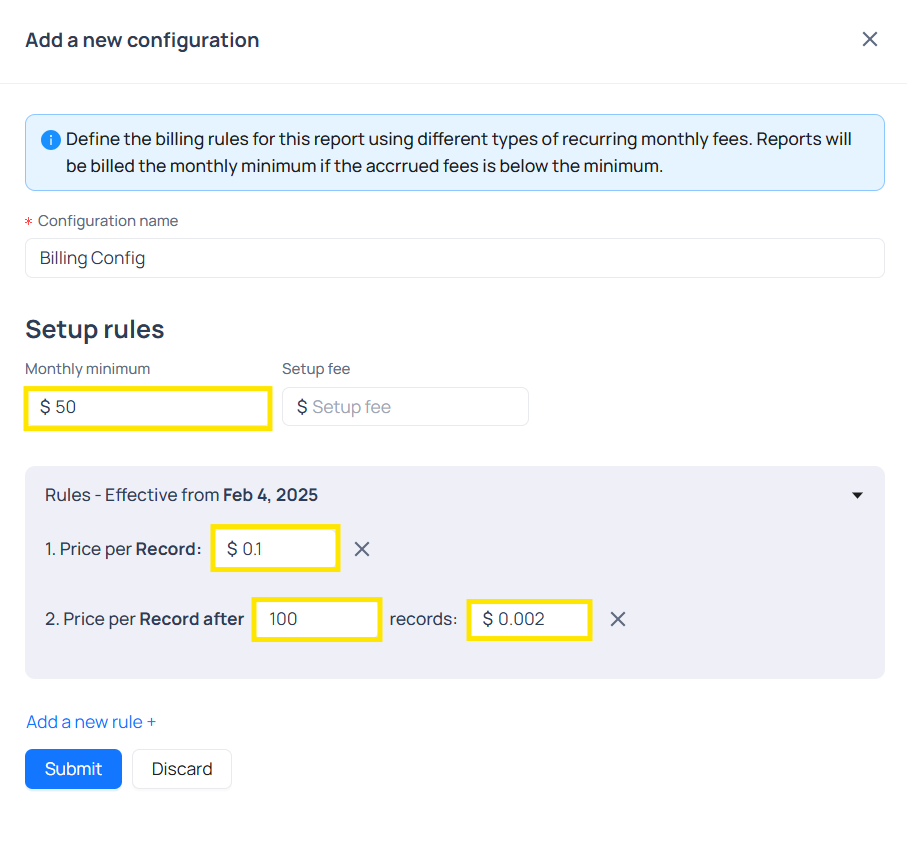
When the monthly Minimum is higher than the Price per Record, considering the Price per Record after
Calculation
-
Let us suppose:
- Monthly Minimum: 50
- Price per Record: 0.1
- Total Records : 8241
- Price per Record after: 100
- Records: 0.002
-
Total calculation -
- Cost of 100 Records = 100*0.1 (price per Record) = 10
- Total Records after 100 Records = (8241-100) = 8141
- Cost of Additional Records =8141*0.002 = 16.282
- Total Cost = 16.282+10 = 26.282
-
Since, the Total cost is less than Monthly Minimum, Monthly Minimum i.e 50 will be used for billing.
When the Monthly Minimum is less than the Price per Record, considering the Price per Record after
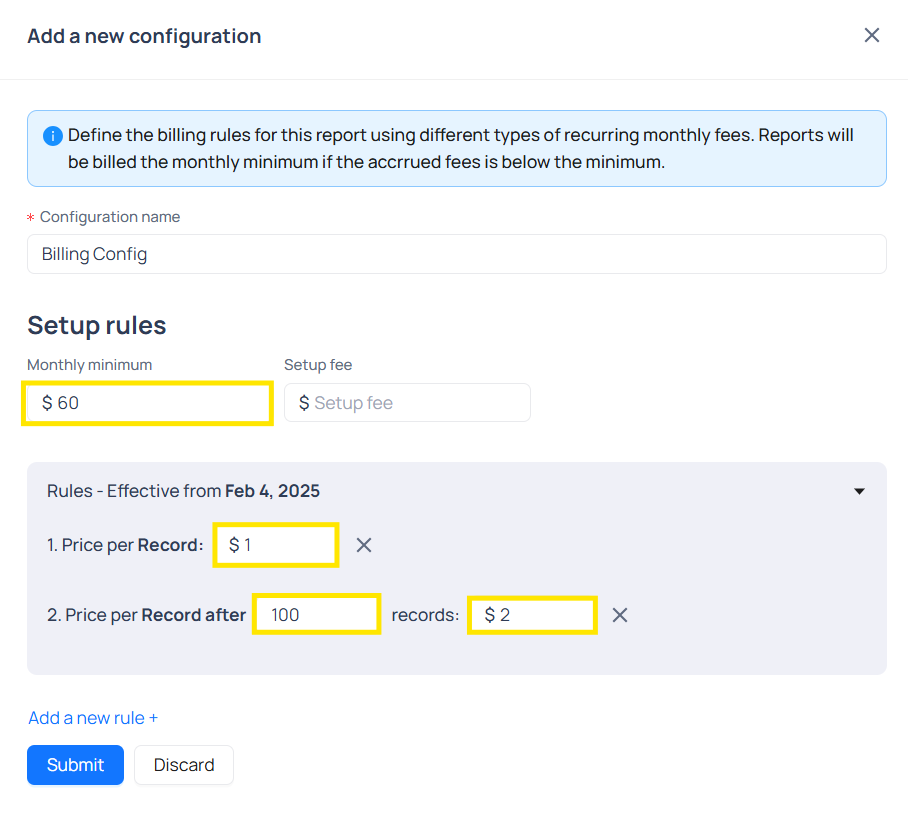
Calculation
-
Let us suppose:
- Monthly Minimum: 60
- Price per Record: 1
- Total Records : 8241
- Price per Record after 100
- Records: 2
-
Total calculation -
- Cost of 100 Records = 100*1 (price per Record) = 100
- Total Records after 100 Records = (8241-100) = 8141
- Cost of Additional Records =8141*2 = 16282
- Total Cost = 16282+100 = 16382
-
Since, Total cost is greater than Monthly Minimum, Total cost i.e 16382 will be used for billing.